Siri Sets the Wrong Alarm Time? Why and How to Fix
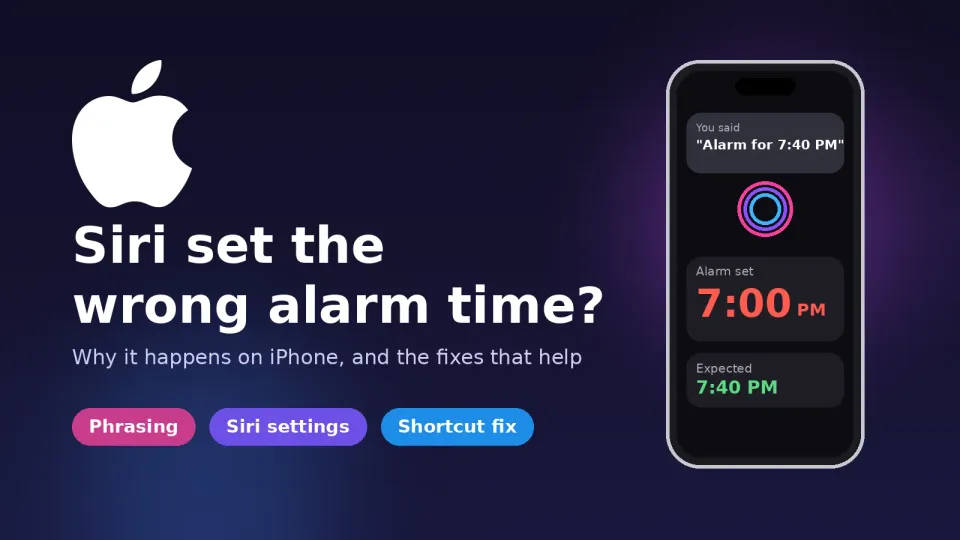
Siri dropping the minutes or picking PM instead of AM? Why it misreads alarm times on iPhone, and the phrasing, settings and Shortcut fixes that help.
Updated: 10 November 2026. Checked against Apple Support's pages on setting and changing alarms, Siri settings on iOS 27 and date and time problems, plus owner reports on Reddit and the Apple Support Community, and recent coverage of Siri AI from BGR.
Short answer: when Siri sets an alarm for the wrong time, it has almost always heard your words fine and then misread the time. It drops the minutes, picks PM when you meant AM, or treats "19 hours 40 minutes" as a countdown. The quickest fix is to say the time in one plain chunk, like "seven forty p.m." or "6:15 in the morning", and to turn on Always Show Request so you can see what Siri heard. If it still goes wrong, check your Date & Time and Siri language, see whether your Apple Watch or HomePod grabbed the request, and on iOS 27 consider going back to Siri Classic.
A quick note on where this comes from. I haven't run my own test bench of alarm requests, so I'm not going to pretend I have. What's below comes from Apple's own support pages and from the owners who have documented, in painful detail, exactly what they said and what Siri set. Where something is a workaround rather than a real fix, I'll say so.
Jump to:
- Why Siri gets alarm times wrong
- Step 1: See what Siri actually heard
- Step 2: Say the time the way Siri reads it
- Step 3: Always add AM/PM or a day
- Step 4: Check Date & Time and time zone
- Step 5: Match Siri's language and give it more time
- Step 6: Check which device set the alarm
- Step 7: Don't mix up your sleep schedule alarm
- Step 8: On iOS 27, try Siri Classic
- Step 9: Use a Shortcut that asks for the time
- Still wrong? Update and report it
- FAQ
Why Siri gets alarm times wrong
This isn't new, and it isn't tied to one update. People have been posting about it for years, and it's still turning up on iOS 26 and iOS 27. In late September an iPhone 16e owner on iOS 26.6.1 posted on r/ios exactly what he said and what he got. The same requests appear in a short video that went round under the title "Siri still can't set an alarm for 19:40". The text on screen was right every time. The alarm wasn't.
Here's the pattern from those reports, because once you see it, most of the fixes make sense:
| What the owner said | What Siri set | What went wrong |
|---|---|---|
| "7 p.m. and 40 minutes" | 19:00 | Kept the hour, dropped the minutes |
| "20 minutes before 8 p.m." | 20:00 | Ignored the "before" part |
| "19 hours 40 minutes" | 14:37 | Read it as a countdown from now, not a clock time |
| "Seven forty p.m." / "nineteen forty" | 19:40 | Worked |
| "Oh-seven-hundred" (in an older Apple Community thread) | 19:00 | Picked the next 7 on the clock, which was in the evening |
So the problem is mostly parsing. Siri grabs the first bit of the sentence that looks like a time, acts on it, and doesn't ask you to confirm. That last part is what makes it dangerous. A wrong alarm you can see is annoying. A wrong alarm Siri quietly sets while you're half asleep is how people end up late for work, and one owner in that thread said that had happened to him more than once.
On iOS 27 there's a second layer. The new Siri AI, which is still labeled beta, handles many everyday requests differently from Siri Classic. Reports collected by BGR and Apple Scoop include Siri AI failing to find existing alarms and turning simple commands into something else. An iOS 27 beta tester on r/iOSBeta found that "set an alarm after 30 mins" got him a timer instead.
If your alarm was set correctly but went off at the wrong time, that's a different problem, and Android Authority has covered reports of it going back years. Steps 4 and 7 below still apply, since a wrong time zone or a sleep schedule alarm can cause it too.
Step 1: See what Siri actually heard
Before you change anything, find out whether Siri is mishearing you or misreading you. Those need different fixes.
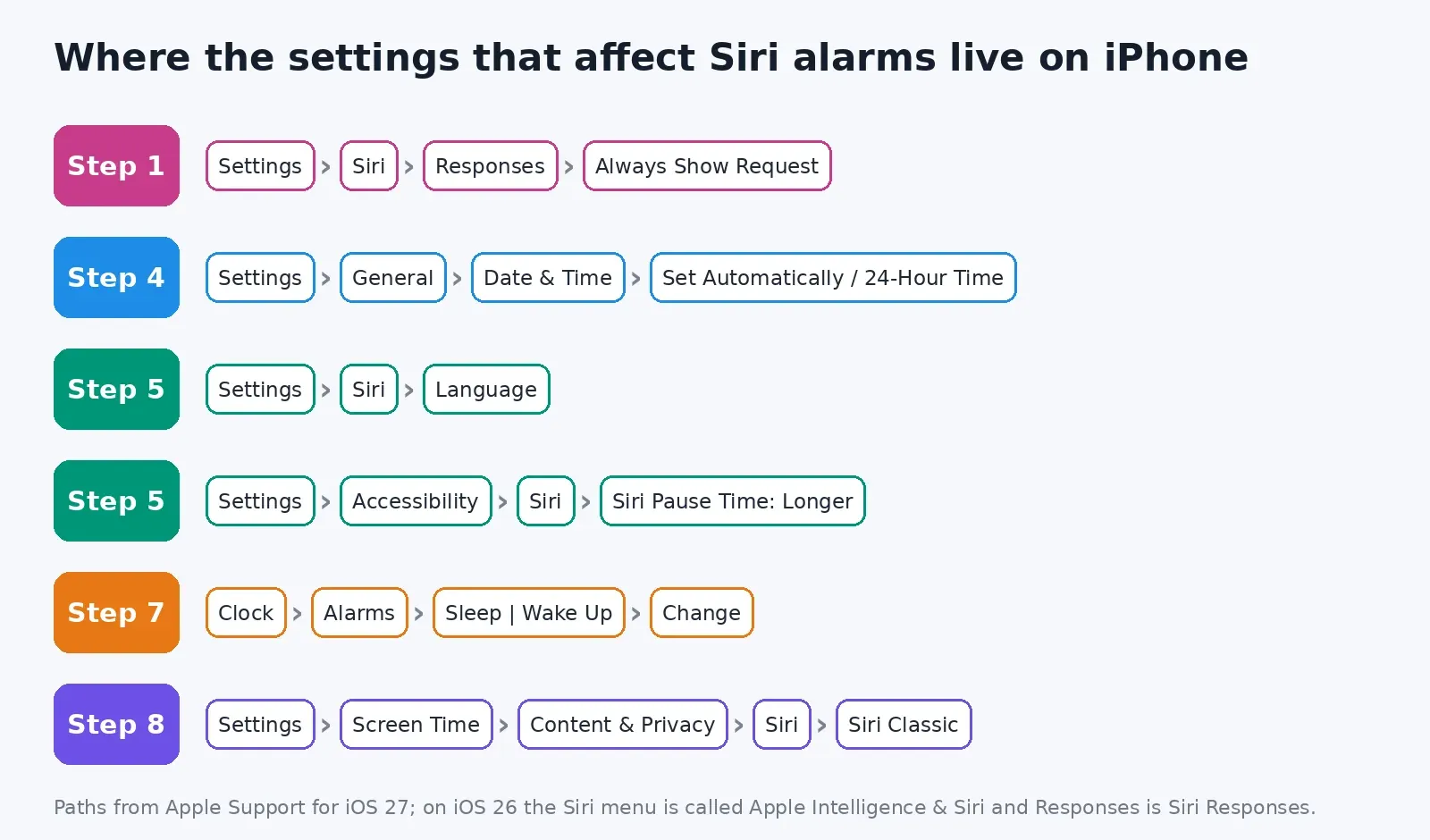
- Open Settings and tap Siri. On iOS 26 it's called Apple Intelligence & Siri.
- Tap Responses (it's Siri Responses on iOS 26).
- Turn on Always Show Request and Always Show Siri Captions.
Now ask for an alarm again and read the screen. If your words show up wrong, it's a hearing problem, so jump to Step 5. If your words are right but the alarm isn't, it's a parsing problem, and Steps 2 and 3 are where you'll get the most out of this.
One catch on iOS 27: some people say the new Siri AI design doesn't show a transcript of what it heard as clearly as before. If you can't see your request, open the Clock app straight after and check the alarm. Honestly, that's a good habit for anything you can't afford to miss.
Step 2: Say the time the way Siri reads it
This feels like it shouldn't be your job, and I agree. But it's the one change that works for nearly everyone, so here's what to say and what to avoid.
- Say it as one number: "Set an alarm for seven forty p.m." or "Set an alarm for 6:15 a.m." Owners say these work reliably.
- On a 24-hour clock, drop the word "hours": "nineteen forty" works. "Nineteen hours forty minutes" sounds like a duration, and Siri may count forward from now.
- For early morning 24-hour times, say the zero: one Reddit user says "zero nine twenty three" has worked every time.
- Skip the maths: "twenty to eight", "quarter past six" and "20 minutes before 8" are where Siri drops parts. Work the time out yourself and say the result.
- For "in 30 minutes", say alarm twice or use a clock time: "in 30 minutes" can get you a timer. One beta tester said "set an alarm for 20 minutes from now, not a timer" fixed it, which is clunky but it worked for him.
If you share the phone with someone who phrases things differently, show them this list. It sounds silly, but a lot of "Siri broke my alarm" complaints come down to one phrase that Siri always gets wrong.
Step 3: Always add AM/PM or a day
When you say a bare "7", Siri has to guess which 7 you mean. From what owners describe, it tends to pick the next one coming up. Ask at 5 p.m. for "an alarm at 9" and you can get 9 p.m. tonight, not 9 a.m. tomorrow. One commenter tested this and noticed that adding "tomorrow" sorted it out.
So say "6 a.m.", "6 in the morning" or "6 tomorrow morning". The extra word costs you half a second and saves a lot of trouble. This matters most if you set your morning alarm late at night, or if you work shifts and sleep during the day.
Step 4: Check Date & Time and time zone
If the alarm shows the right time in the Clock app but rings at the wrong moment, or your times are off by exactly an hour or more, look at the clock itself. Apple's steps:
- Go to Settings > General > Date & Time and turn on Set Automatically.
- Go to Settings > Privacy & Security > Location Services > System Services and make sure Setting Time Zone is on.
- If you see a message that updated time zone information is available, restart the iPhone and any paired Apple Watch.
Apple also warns that changing the time by hand to cheat game timers can affect alarms. If you've done that, put it back to automatic. While you're on the Date & Time screen, check 24-Hour Time too. It doesn't seem to change what Siri understands, but it does change how alarms are shown and read back to you. That makes a 7:00 vs 19:00 mistake easier to catch.
Travelling? Your alarms follow local time on the phone. If you set an alarm before a flight and then landed in another time zone, it will ring at that clock time in the new zone. That's expected behaviour, not a bug, but it catches people out.
Step 5: Match Siri's language and give it more time
If Step 1 showed Siri writing down the wrong words, the problem is hearing, not parsing. Two settings help.
Siri language. Go to Settings > Siri > Language. Choose the English that matches how you speak, such as English (India), English (UK) or English (Australia), not just the US default. Siri is tuned to each variety, and accents are one of the things Siri AI users have complained about. You may have to set up "Hey Siri" again after switching.
Siri Pause Time. Go to Settings > Accessibility > Siri and set Siri Pause Time to Longer or Longest. If you pause between "seven" and "forty", Siri may decide you've finished and act on "seven". This gives you more breathing room, and it's one of the more underrated fixes here.
Step 6: Check which device set the alarm
Sometimes Siri didn't set the wrong time at all. It set the alarm on the wrong device, so you never see it on your phone.
- Apple Watch: an alarm you create on the Watch belongs to the Watch, and Apple says you aren't alerted on your iPhone when Watch alarms go off. If you raised your wrist and spoke, check the Alarms app on the Watch.
- Getting alarms on both: set the alarm on the iPhone, then in the Watch app on the iPhone go to My Watch > Clock and turn on Push Alerts from iPhone.
- HomePod: if a HomePod answered your "Hey Siri", the alarm was set on the HomePod. You can find and change it in the Home app under that HomePod's settings.
If more than one device tends to answer, place the iPhone face down when you don't want it to answer, which Apple suggests. For alarms you really care about, talk to the device you want the alarm on.
Step 7: Don't mix up your sleep schedule alarm
If you use a sleep schedule in the Health app, your wake-up alarm is a separate thing from your normal alarms. It sits at the top of the Alarms tab under Sleep | Wake Up. Changing it the wrong way is a common reason the "wrong" alarm rings.
- Open the Clock app, tap Alarms, then tap Change next to the wake-up alarm.
- Drag the wake-up time and check that the alarm is turned on under Alarm Options.
- Tap Done, then pick carefully. Change Next Alarm Only affects tomorrow. Change This Schedule changes it for every day on that schedule.
If Siri sets a new alarm and your sleep schedule alarm rings too, you'll get two alarms, and one of them will be at a time you didn't just ask for. That can look exactly like Siri setting the wrong time. If you'd rather just use normal alarms, go to Edit Sleep Schedule in Health and turn off Sleep Schedule.
Step 8: On iOS 27, try Siri Classic
Siri AI arrived with iOS 27 on supported iPhones (iPhone 15 Pro and newer), and Apple still labels it beta. It's much better at open questions. For quick device jobs like alarms, timers and reminders, plenty of people find it less dependable, and BGR's 9 November roundup of owner complaints says much the same thing.
You can switch back. Go to Settings > Screen Time > Content & Privacy Restrictions > Siri and change Allowed Siri Version to Siri Classic. Another way is to turn Siri off in Siri settings, turn it back on, and choose the classic version. You can switch back to Siri AI the same way whenever you like.
Is it worth it just for alarms? I think so, if Siri has already made you late once or twice. You give up the smarter answers. In return you get the older assistant, and most of the phrasing tips people share were worked out on that one. It isn't perfect either. Every iOS 26 report in the table above was Siri Classic, so keep Steps 2 and 3 in mind.
Step 9: Use a Shortcut that asks for the time
This one's my favourite, because Siri doesn't get to guess at all. You make a tiny shortcut that pops up a time picker. You spin the wheel to the time you want, tap, done.
- Open the Shortcuts app and tap +.
- Search for and add the Create Alarm action (it's one of the Clock actions).
- Tap the time field and choose Ask Each Time. You can also add a label.
- Name the shortcut something easy to say, like "Wake me up".
Now "Hey Siri, wake me up" runs the shortcut and asks you to pick the time instead of guessing it. It always makes a new alarm in the Clock app, so delete old ones now and then. It's slower than a one-line voice command, but it shows you the time before it saves anything, which Siri on its own doesn't do. If you set the same alarm every day, a regular repeating alarm in the Clock app is simpler still.
Still wrong? Update and report it
Go to Settings > General > Software Update and install anything waiting. As of today the current releases are iOS 27.2.1 and iOS 26.7.3. I couldn't find Apple naming a Siri alarm fix in any release notes, so don't expect the update alone to solve it. Then restart the phone, since Siri issues in iOS 27 that look like indexing problems sometimes clear after a restart.
Then tell Apple. Use the Apple Feedback page, or the Feedback app if you're on a beta. Be specific: write down the exact words you said, what Siri set, your iPhone model, iOS version and Siri language. Vague "Siri is bad" reports don't help anyone. A report like "I said 7 p.m. and 40 minutes and got 19:00" gives an engineer something to fix.
For the alarm that actually gets you out of bed for a flight or an exam, I'd set it by hand in the Clock app, at least until Siri earns your trust back. I know that defeats the point of a voice assistant. It's still better than missing the flight.
If your iPhone has other post-update problems, I've also covered an iPhone screen that's dim when you wake it and iOS 27 battery drain and heat. For what changed with Siri in the last big update, see my iOS 27.2 rundown. If your Watch alarms and phone alarms don't agree, this smartwatch sync guide may help too.
Found a phrasing that Siri always gets wrong, or one that always works? Drop it in the comments with your iPhone model and iOS version. Those reports are how most of this list came together.
If Siri doesn't set anything at all, and just glows and goes quiet when you ask, that's a different fault. I've covered it in Hey Siri lights up but won't answer.
Related guides: start with my guide to freeing up iPhone storage without deleting photos for the wider iPhone and Mac picture. I've also covered a Mac battery draining while asleep and moving WhatsApp chats to a new phone.
FAQ
Why does Siri set my alarm for the wrong time?
Usually because it reads only part of what you said. Owners report it keeping the hour and dropping the minutes, ignoring "before" or "to", and treating "19 hours 40 minutes" as a countdown. Saying the time as one plain number, like "seven forty p.m.", avoids most of it.
Why does Siri set PM when I wanted AM?
With a bare time like "9", Siri seems to pick the next 9 o'clock coming up. Ask in the evening and you can get 9 p.m. Add "a.m.", "in the morning" or "tomorrow" and the problem goes away.
Does Siri understand 24-hour time?
Mostly, if you say it as a number. "Nineteen forty" and "zero nine twenty three" work for owners. Adding the word "hours" is what trips it up, because it sounds like a duration.
Can I make Siri confirm the alarm time before it sets it?
Not with a built-in setting. The closest thing is a Shortcut using the Create Alarm action with the time set to Ask Each Time. It shows you a time picker before it saves anything.
Is Siri Classic better than Siri AI for alarms?
For many people, yes, at least while Siri AI is in beta. Siri AI is better at questions but has had more trouble with simple tasks like alarms and timers. You can switch in Settings > Screen Time > Content & Privacy Restrictions > Siri.
Comments ()