Smartwatch Not Syncing? Galaxy, Pixel, Apple, Fitbit
Galaxy Watch, Pixel Watch, Apple Watch or Fitbit not syncing? Check the Bluetooth link, force a sync, then follow each brand's official fixes.
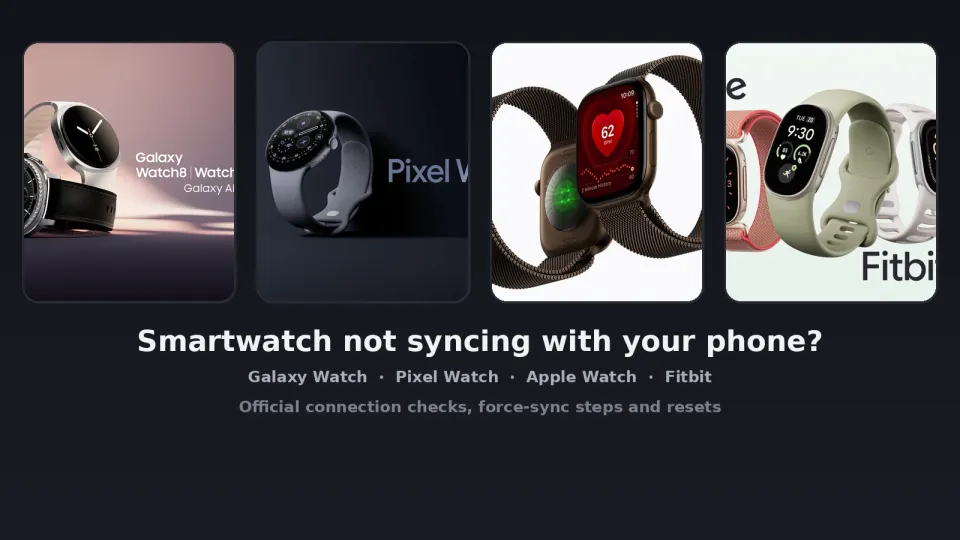
Updated: 8 November 2026. Steps checked against Samsung's Samsung Health sync and Galaxy Watch connection pages, plus its watch software update and reset guides; Google's Pixel Watch pairing, install and update, Google Health sync and Fitbit restart articles; and Apple's Watch connection, restart, Health data, watchOS update, backup and unpair pages.
Short answer: first decide whether the watch lost its Bluetooth link or merely stopped sending data. Open Galaxy Wearable, the Pixel Watch app, the Apple Watch app or Google Health. If the watch shows as disconnected, fix range, Airplane mode, Bluetooth and a restart before you wipe anything. If it shows as connected but steps, sleep or workouts look stale, force a sync and turn off the battery-saving modes that pause background data.
That split matters. A red iPhone icon, or "Disconnected from watch" in Galaxy Wearable, is a radio problem. Yesterday's run missing from Samsung Health or Google Health is often a sync setting or an app that never got updated. Bluetooth dropouts that feel like a dying radio are the same class of issue as headphones that keep disconnecting. A watch that dies before it can sync is first a power problem — see phone charging slowly if the phone will not take a proper charge, and Google's Pixel Watch battery-drain fix if that model is emptying itself overnight.
Jump to:
- Step 1: See if the watch is connected or just not syncing
- Step 2: Do the checks that fix most watches
- Step 3: Fix a Galaxy Watch that will not sync
- Step 4: Fix a Pixel Watch that will not sync
- Step 5: Fix an Apple Watch that will not sync
- Step 6: Fix a Fitbit that will not sync
- Step 7: Update the watch, the phone and the companion app
- Step 8: Unpair, reset and pair again
- Quick reference
- FAQ
Step 1: See if the watch is connected or just not syncing
Connecting is the Bluetooth (or Wi-Fi / LTE) link. Syncing is the data that travels over it: steps, heart rate, workouts, sleep, notifications. Samsung says a Galaxy Watch and phone must be connected through Bluetooth to sync Samsung Health. Google says a Fitbit has to stay near the phone. Apple says a red iPhone icon or a red X in Control Center means the Watch and iPhone are not connected; a green iPhone icon means they are.
Check the companion app before you factory-reset anything:
- Galaxy Watch: open Galaxy Wearable. Start means the watch has never been set up with this phone. Disconnected from watch or Remotely connected to watch usually means Bluetooth is off or the pair is out of range.
- Pixel Watch: the Pixel Watch app should say Connected. In Google Health, open Connections and confirm "Google Pixel Watch" is listed. Your name should also appear in the greeting on the Today tab.
- Apple Watch: press the side button to open Control Center. Green iPhone icon: connected. Red iPhone icon or red X: not connected.
- Fitbit: Google Health → Connections → your device. Google shows a "Last synced when" note under the picture. A clock that is off by an hour or more, missing notifications or "Something went wrong. Try again (Error Code 2)" are listed as connection problems.
If the app says connected and only one kind of data is missing, skip ahead and force a sync. If it says disconnected, stay on Step 2. Unpairing a watch that is merely a room away wastes time and, on some brands, risks data you have not backed up.
Step 2: Do the checks that fix most watches
I'd run these on every brand before touching a reset menu. They match what each manufacturer lists first.
Bring them close. Distance is boring and it still explains half of these tickets. Samsung puts the useful Bluetooth range at 10 metres (32 feet) and warns that walls and other electronics eat the signal. Google wants a Pixel Watch within 0.5 metres (1.6 feet) for Fast Pair, and it tells Fitbit owners the tracker has to stay near the phone. Apple is less numeric: "close together" and "in range."
Charge both devices. A watch sitting at 2 percent will often refuse background sync to save itself. Google's pairing page literally starts with a fully charged Pixel Watch. Samsung will not even start a software update below about 30 percent, and Apple wants at least 50 percent before a watchOS update.
Turn Airplane mode off, and turn Bluetooth on. On an iPhone, swipe down from the top-right for Control Center; turn Airplane Mode off and leave Wi-Fi and Bluetooth on. On Apple Watch, press the side button and turn Airplane Mode off there too. On a Galaxy Watch, swipe down and tap the airplane icon if it is highlighted — Samsung notes that Airplane mode turns Bluetooth off, and you have to turn Bluetooth back on yourself. Phone path: Settings → Connections → Bluetooth. Watch path: Home (Power) button → Settings → Connections → Bluetooth.
Turn off modes that pause sync. Samsung lists Power saving, Airplane mode and Watch only mode. Google says battery saver and Bedtime mode on a Fitbit limit background data until you interact with the device or turn those modes off. If you recently moved a Fitbit account into Google Health, a large historical transfer can take up to 48 hours.
Then restart the watch and the phone. I mean a normal power-off, not a factory reset. On Apple Watch you cannot do this on the charger: hold the side button, drag the Power Off slider, then hold the side button again until the Apple logo comes back. If the Watch ignores that, hold the side button and the Digital Crown together for at least 10 seconds. A Pixel Watch is shorter — hold the crown for 3 seconds and tap Restart. Galaxy Watch uses the Power button for the same off-then-on cycle; open Galaxy Wearable once both devices are up. Fitbit owners should use the model-specific buttons in Step 6. Google says that kind of restart keeps your activity data.
Step 3: Fix a Galaxy Watch that will not sync
Galaxy Wearable owns the Bluetooth pair. Samsung Health owns the fitness data. Fix the pair first.
After each change, force a sync: Samsung Health → More options (the three vertical dots) → Settings → Sync with Samsung Cloud → turn the switch on → Sync now. If Power saving is on, swipe down on the watch and tap the battery icon to turn it off. For Watch only mode, go to Settings → Battery → Power mode and choose Standard. On Wear OS models (Galaxy Watch4 and later), hold the Power button to turn the watch off, then hold it again to turn it back on.
Samsung also calls out Google Play services. On the phone: Settings → Apps → Google Play services → Permissions, and allow anything listed under Not allowed. A denied Nearby devices permission looks exactly like a watch that will not connect.
Then update both sides (Step 7). In Samsung Health, open More options → Settings → About Samsung Health and confirm the version is 6.2.0.075 or later. If it is older, update it from the Play Store (profile icon → Manage apps & device → Manage → Updates available). If no update appears, uninstall Samsung Health and reinstall it. You may have to sign in to your Samsung account again.
Samsung's current table says Galaxy Watch8 (and the matching Watch Ultra) needs Android 12 or later with at least 1.5 GB of RAM. Watch7 needs Android 11, Watch6 needs Android 10, Watch5 needs Android 8 and Watch4 needs Android 6. Tablets are not supported. From Watch4 through Watch8, iOS is Not supported. Older Tizen watches could use the Galaxy Watch app on an iPhone; these Wear OS models cannot. That is not a sync bug. Back up in Galaxy Wearable before you unpair (Step 8).
Step 4: Fix a Pixel Watch that will not sync
The Pixel Watch app handles pairing. Google Health is where steps, exercise and sleep land. Data syncs to Google Health throughout the day and after you finish an exercise. If the Pixel Watch app says Connected but Google Health looks empty, you are debugging Health, not Fast Pair.
For a watch that will not pair: charge it; update the firmware, the Pixel Watch app and the phone (Step 7); turn Bluetooth on and stay within 0.5 metres for Fast Pair; turn on Location and Wi-Fi; and confirm the phone is on Wi-Fi or mobile data. If pairing freezes, hold the crown for 3 seconds, tap Restart, wait until the watch is fully on, then try again.
If the app already says Connected, check that your name appears in the Google Health Today greeting and that Google Health → Connections lists "Google Pixel Watch." Update Google Health on the phone and on the watch through the Play Store, then restart the phone. Next, uninstall and reinstall Google Health, and remove any other Fitbit devices from the account and from the phone's Bluetooth list. A Pixel Watch and an old Charge on the same account can confuse that list.
A factory reset erases apps, settings and data. From the watch: swipe down → Settings → Disconnect & reset → Ok. From the phone: Pixel Watch app → System → Reset and unpair watch. If the watch is stuck on the G logo, Google documents a Fastboot wipe and a hard reset on the charger. Use those only when the gentler steps fail.
Step 5: Fix an Apple Watch that will not sync
After each step, look at Control Center again for the green iPhone icon.
- Keep the Watch and its paired iPhone close together.
- On the iPhone, open Control Center and turn Airplane Mode off. Turn Wi-Fi and Bluetooth on.
- On the Watch, press the side button and turn Airplane Mode off.
- Restart the Apple Watch and the iPhone.
If notifications, calls or messages never arrive, treat it as a disconnected Watch. If the Watch looks connected but Activity rings or workouts never show up on the iPhone, check Fitness Tracking: Health app → your profile picture → Devices → your Apple Watch → Privacy Settings → turn Fitness Tracking on.
Some iPhone updates put up an "Update Apple Watch" / "Your Apple Watch software is out of date" alert. Apple's wording is blunt: update watchOS so that your data, including Activity data, continues to sync. As of Apple's 14 September 2026 page, watchOS 27 runs on Apple Watch SE 3, Series 9 and later, and Ultra 2 and later. It needs an iPhone 11 or later, or iPhone SE (2nd generation) or later, running iOS 27. Older watches still get the newest watchOS their hardware allows. Update paths are in Step 7. If the Watch still will not connect, unpair and pair again (Step 8).
Alarm went off on your wrist but not your phone, or the other way round? Watch alarms and iPhone alarms are kept separately, and Siri can set one on the wrong device. I go through that, and the other reasons Siri gets alarm times wrong, in Siri sets the wrong alarm time: why and how to fix it.
Step 6: Fix a Fitbit that will not sync
Fitbit devices now sync through the Google Health app, not the older Fitbit-only app. Google's help and the setup notes for hardware such as Fitbit Edge both point there. Opening Google Health while the tracker is nearby triggers a sync. You can also force one: pull down on the Today tab, or use the top-left Connections menu and Sync / Sync Now.
- On Android, open Settings → Apps → Google Health → Permissions and turn on Location and Nearby devices (Android 12 and later).
- Toggle Bluetooth off for three seconds, then back on. Confirm the phone has Wi-Fi or cellular data.
- Put the Fitbit on its charger and try to sync while it charges.
- In Google Health → Connections, pull down until the progress bar fills.
- Restart the phone, then the Fitbit, and sync once the clock face is back.
A restart does not wipe activity data. Do not poke paper clips into the small sensor holes; Google says those are microphones or altimeters, not reset pins. On Fitbit Edge, long-press the side button for up to 10 seconds, then Settings → System → Restart. On Charge 5, Charge 6, Inspire 3 and Luxe: Settings → Restart Device → Restart. If a Charge 5 or 6 is frozen, connect the charger and press the button on the flat end three times, one second apart, then wait about 10 seconds for the Fitbit logo. Versa and Sense models, including Versa 4 and Sense 2, are on Google's restart page; the usual method is a long press of the side button until the Fitbit logo appears.
If it still fails, update the phone, Google Health and the tracker firmware. Uninstall Google Health from any other nearby phone or tablet signed into the same account, and forget the Fitbit in those devices' Bluetooth settings. Two phones fighting over one tracker is a classic "it synced yesterday" complaint. To refresh a stuck pair: Connections → the device → Disconnect device, then Settings → Bluetooth → Forget, then Connections → Add device. Reinstalling Google Health is the last software step before you contact Google.
Step 7: Update the watch, the phone and the companion app
An outdated companion app with a newly updated phone is a reliable way to get a watch that pairs and then never syncs. Do the phone OS first, then the companion app, then the watch firmware.
- Galaxy Watch: Galaxy Wearable → Watch settings → Watch software update (some models hide this under About watch) → Download and install, with about 30 percent charge or more. Wear OS watches can also check via Settings → Software update on the wrist. Watch app updates go through the Play Store on the watch (swipe up → Play Store → My apps → Update all).
- Pixel Watch: Settings → System → System updates. Google wants the watch on its charger, at 50 percent or more, and on Wi-Fi. Update the phone app from Play Store → profile → Manage apps & device → Updates available. Watch apps: press the crown → Play Store → Manage apps → Update All. If an update sits there for more than an hour, hold the crown and side button for 20 seconds, turn Bluetooth off and Wi-Fi on, then check System updates again.
- Apple Watch: update iOS first, then Watch app → My Watch → General → Software Update. Keep the Watch on its charger and the iPhone nearby on Wi-Fi; do not restart either device or quit the Watch app mid-update. You can also update on the Watch: Settings → General → Software Update.
- Fitbit: install any phone system update, update Google Health, then let the app push the tracker firmware.
Give the watch a few minutes after an update. The first reconnect often includes a backlog of workouts, and that can look frozen if you keep tapping.
Step 8: Unpair, reset and pair again
This is the last resort. Unpairing clears a corrupt Bluetooth handshake and, on some brands, wipes the watch. Read the backup note first.
Galaxy Watch. Back up in Galaxy Wearable. On the phone: Settings → Connections → Bluetooth → the settings icon next to the watch → Unpair. On the watch: Home (Power) button → Settings → General → Reset → Reset again. Galaxy Fit and Fit2 are reset from Wearable (About band → Reset band). Then open Galaxy Wearable, tap Start if you see it and set the watch up again. An LTE watch may need the carrier to reactivate service after a reset.
Pixel Watch. Use Reset and unpair in the Pixel Watch app, or Disconnect & reset on the watch. If that fails, uninstall the Pixel Watch app, forget any listed watches under Settings → Connected devices, restart the phone and bring the two devices together so Fast Pair can run again. Sign in with the same Google Account and PIN you used before.
Apple Watch. Watch app → My Watch → All Watches → the i button → Unpair Apple Watch → confirm and wait. Apple backs the Watch up to the iPhone during that unpair, then erases it and removes Activation Lock. Pair again and restore from the backup when offered. The backup includes app settings, watch faces and Health and Fitness data (those need iCloud or an encrypted iPhone backup). It does not include Bluetooth pairings, Apple Pay cards or the Watch passcode. If you no longer have the paired iPhone, erase the Watch from Settings → General → Reset → Erase All Content and Settings; Activation Lock stays on until you enter the Apple Account that set it up.
Fitbit. Disconnect the device in Google Health, forget it in the phone's Bluetooth list, then add it again. A restart is enough for most trackers. Google says to factory-reset only when support tells you to, because unsynced data, alarms, goals and notifications are deleted.
If none of this restores the link, you are past a settings problem. Samsung's sync article ends at "request service." Google and Apple point to their own support chats after the official list. A watch that will not stay paired to any phone, including after a reset, is hardware.
Quick reference
| What you see | Likely cause | Try first |
|---|---|---|
| Companion app says disconnected | Bluetooth, range or Airplane mode | Move them closer, turn Bluetooth on, restart both |
| Apple Watch shows a red iPhone icon or red X | Watch and iPhone are not connected | Control Center: Airplane off, Wi-Fi and Bluetooth on; restart both |
| Galaxy Wearable says "Remotely connected" or "Disconnected" | Bluetooth off on the phone or watch | Phone Settings → Connections → Bluetooth; same path on the watch |
| Pixel Watch app is not "Connected" | Pairing or Fast Pair range | Charge the watch, stay within 0.5 m, restart (hold crown 3 seconds) |
| App says connected, steps or sleep look old | Sync paused or health app stuck | Force sync; turn off Power saving, Watch only, Battery saver or Bedtime |
| Fitbit time is off by an hour or more | Google lists this as a connection issue | Restart the tracker, then Sync Now in Google Health |
| Stopped after a phone or OS update | Companion app or watch firmware behind | Update the phone, then the app, then the watch |
| Galaxy Watch4 or newer on an iPhone | Samsung does not support iOS on those models | Use a compatible Android phone (Android 6–12+ depending on the watch) |
| Still broken after a restart and a force-sync | Corrupt pairing | Back up, then unpair and pair again (Step 8) |
Related guides: if you're working through something similar, I've also covered Pixel 10a vs Pixel 9a and the best budget ANC earbuds under $100. On the news side, Android XR glasses are due in December.
FAQ
Why is my smartwatch not syncing with my phone?
Usually the Bluetooth link dropped, a battery-saving mode blocked background data, or the companion app and watch firmware no longer match after an update. Check the companion app first. Disconnected means range, Airplane mode, Bluetooth and a restart; connected with stale charts means a manual sync and those power-saving modes turned off.
How do I force my watch to sync?
On a Galaxy Watch, open Samsung Health → More options → Settings → Sync with Samsung Cloud → turn it on → Sync now. On a Fitbit or Pixel Watch, open Google Health and pull down on the Today tab, or use Connections → Sync. An Apple Watch has no separate "Sync now" button; restore the green iPhone icon and turn on Fitness Tracking in Health → profile → Devices → your Watch → Privacy Settings.
Will I lose my data if I unpair or reset the watch?
A Fitbit restart keeps activity data; a factory reset deletes anything that has not reached Google Health, plus alarms and goals. Unpairing an Apple Watch from the Watch app backs it up to the iPhone first — restore that backup, and keep Health data in iCloud or an encrypted iPhone backup. Samsung tells you to back up in Galaxy Wearable first. A Pixel Watch factory reset erases apps, settings and data on the watch.
Can I pair a Galaxy Watch or Pixel Watch with an iPhone?
Not the current Galaxy Watch line. Samsung marks iOS as "Not supported" for Galaxy Watch4 through Watch8 (and the Watch Ultra models listed with them). Those watches need Android and at least 1.5 GB of RAM. A Pixel Watch pairs through the Pixel Watch app on Android. Apple Watch pairs only with iPhone. Fitbit devices sync through Google Health on compatible Android phones and iPhones.
Does my watch need Wi-Fi to sync, or is Bluetooth enough?
Bluetooth is enough for the daily handshake, as long as the phone can reach the internet when the companion app needs the cloud. Samsung Health and Google Health both expect the phone to be on Wi-Fi or cellular data. Apple tells you to keep Wi-Fi on while you repair a Watch connection. Wi-Fi or LTE on the watch helps when the phone is in another room, but it will not fix Airplane mode or a denied Bluetooth permission.
Why did my watch stop syncing after I got a new phone?
It is probably still paired to the old one. Unpair from the old phone if you still have it, or erase the watch, then set it up on the new phone with the same account. Apple's "Finish Pairing" prompt appears when a Watch transfer did not complete during iPhone setup, and iCloud Health data can take a few days to catch up. Samsung's Wear OS watches cannot move to an iPhone. Forget a Fitbit from the old phone's Bluetooth list so two phones are not fighting over it.
If this list still leaves you disconnected, say which watch and phone you have in the comments. The menu names match what Samsung, Google and Apple published on 8 November 2026.
Comments ()