Windows USB Audio Bug Fixed in November Update
Microsoft's November 10 updates fix the USB audio bug causing Code 10 errors and no sound since September. How to install the fix and check your device.
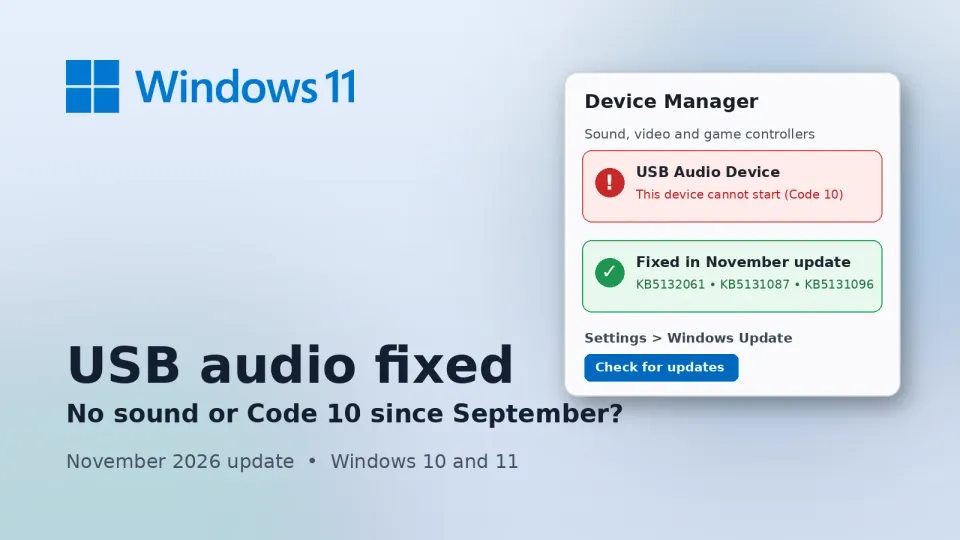
If your USB headset, speakers or little USB sound card went quiet sometime after September, and Device Manager has been showing a yellow warning with "Code 10", there's finally an official fix. Microsoft says the November 10, 2026 security updates for Windows 10 and Windows 11 clear up the USB audio bug that started with the September Patch Tuesday release.
What happened
Microsoft marked the issue as resolved on its Windows 11 25H2 release health page on November 10. According to that entry, the September 8 security update (KB5124008 on 25H2) stopped some USB Audio Class 1.0 devices from starting or playing sound. People saw one or more of these:
- "This device cannot start (Code 10)" in Device Manager
- No audio output at all
- A volume slider stuck at zero or not responding
- Sound settings that wouldn't open or did nothing
- Audio that worked in stereo but broke in 8-channel or 3D audio modes
That last symptom was already patched by an out-of-band update on September 14. Everything else waited until this month. The fix ships in KB5132061 for Windows 11 26H2, 25H2 and 24H2 Enterprise/Education, KB5131087 for 23H2, and KB5131096 for Windows 10 22H2. The bug also hit Windows Server 2012 through Server 2025. BleepingComputer spotted the update first.
Why it matters
Two months is a long time to live without sound. And this wasn't some obscure enterprise gadget. USB Audio Class 1.0 is the older, simpler USB audio standard, and you'll still find it in plenty of budget headsets, USB mics, cheap DAC dongles and the small USB sound cards people plug into desktops with dead front audio jacks. If you work from home, take online classes or play with voice chat, that's often the exact device you rely on every day.
The awkward part is that Microsoft only opened the public known-issue entry on November 9, a day before the fix. Before that, plenty of people probably assumed their headset had died, or spent an evening reinstalling drivers that were never the problem.
What to do now
1. Install the November update. Go to Settings > Windows Update and click Check for updates. Let the 2026-11 cumulative update install and restart. On Windows 10, it's the same idea under Settings > Update & Security.
2. Check you actually got it. Press Windows + R, type winver and press Enter. On 25H2 you want build 26200.9974, and on 26H2 it's 26300.9974. You can also open Settings > Windows Update > Update history and look for the KB number for your version listed above.
3. Replug and recheck. Unplug the USB audio device, plug it back in, then open Device Manager and look under "Sound, video and game controllers". The yellow warning should be gone. If it's still there, right-click the device, pick Uninstall device, unplug it, restart, and plug it in again so Windows sets it up fresh.
4. If you can't update yet, there's no official workaround for the Code 10 and no-sound cases. Some users got sound back on multichannel setups by switching the speaker configuration to 2-channel stereo (right-click the speaker icon, Sound settings, then your device's properties). That only helps the multichannel symptom, though.
My take
I'd install this one today, and not only for the audio fix. It's the November security update, so you want it anyway. The audio repair is a nice bonus for anyone who's been stuck on Bluetooth earbuds or the laptop speakers since September.
Not sure your device is one of the affected ones? Here's a quick check I like. In Device Manager, open your USB audio device's Properties, go to the Driver tab and click Driver Details. If the list shows usbaudio.sys, it's running on the older Class 1.0 driver this bug hit. If it shows usbaudio2.sys, it's a Class 2.0 device, and your problem is probably something else, like a bad cable, the wrong default output or a vendor driver.
There's one group that needs to pay attention. If you're still on Windows 11 24H2 Home or Pro, you won't be offered KB5132061, because that version stopped getting updates on October 13. So you could have this audio bug with no patch coming. The way out is to move to 25H2 or 26H2 through Windows Update. In India, where a lot of people bought budget laptops with Home preinstalled and never touched the version upgrade, I suspect this covers more machines than you'd think.
If the November update refuses to install at all, you're not alone. Errors like 0x800f0993 have been showing up since Tuesday, and I've put the fixes that worked for people in our guide to KB5132061 install errors. Windows 10 users should also know their updates only keep coming because support was stretched out, as I covered in Windows 10 support being extended to 2027.
This also isn't the first time a Windows update has broken USB audio. In January 2025, an optional preview update (KB5050094) caused Code 10 errors on Windows 11 24H2 with USB audio drivers, according to BleepingComputer. The lesson is the same both times: when your sound dies right after an update, check Microsoft's release health page before you blame the hardware. And if your PC feels slow while the update is installing, our Windows 11 100% disk usage guide explains what's going on and how to fix it.



Comments ()