Kobo Stack Syncs Sideloaded Books for a Fee
Kobo Stack uploads EPUB/PDF to the cloud and syncs notes for CA$3.99 or £2.99/mo. OS 6.0 beta; first outside the US. What to try free.
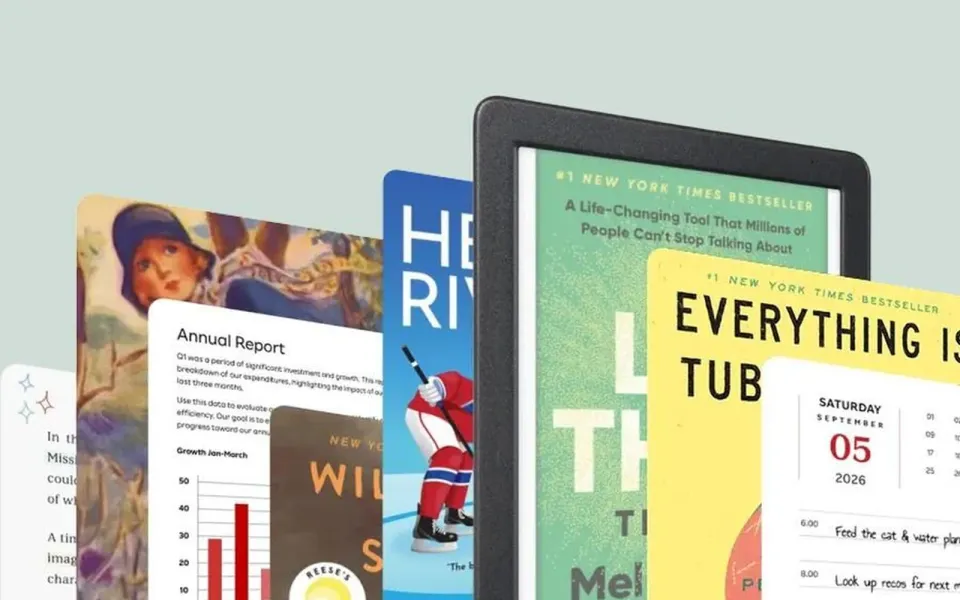
Rakuten Kobo is finally adding the “email yourself an EPUB and read it everywhere” trick Kindle users take for granted — but as a paid add-on. Kobo Stack uploads your own books and PDFs to Kobo Cloud, syncs progress and notes across devices, and launches first outside the United States with the company’s big OS 6.0 beta.
What happened
Kobo’s help center now documents About Kobo Stack: a subscription for uploading personal files to Kobo Cloud (up to 50 GB), syncing them with reading progress and annotations, plus extras like Stack-only workbooks and a 3-year extended warranty on eligible devices. You can drag and drop on kobo.com or email files to a personal Stack address. Supported types are PDF, EPUB, and LCP EPUB, capped at 200 MB per file.
The Verge reported the same day that Stack is tied to the OS 6.0 e-reader update (optional beta now, wider release later), and that CEO Michael Tamblyn said the first countries are Canada, Ireland, Australia, New Zealand, the UK, and Spain — not the US. Verge cites Canadian pricing at CA$3.99/month and UK pricing at £2.99/month (~US$3.80 / ~₹320 at recent rates), with a 90-day free trial. Cancel and you get about 60 days to download uploads and export notes before Kobo says they are permanently deleted. Kobo’s own Stack page for the UK lists the same £2.99/month after trial. The Verge’s story also circulated via @verge on X.
On e-readers, Kobo’s help page currently lists Stack for devices on software beta 6.0+, naming the Libra Colour, Clara Colour, and Clara BW. Mobile needs the Kobo apps at iOS 11.5+ or Android 11.1+. Separately, OS 6.0 brings free goodies that do not need Stack: multiple Libby library cards on one account, CloudLibrary on partnered libraries, lower stylus latency where pens exist, bigger accessibility fonts, and native LCP DRM EPUB support so some library books no longer need Adobe Digital Editions.
Why it matters
Sideloading by USB or Dropbox/Google Drive on select models still works for free. What Stack sells is cloud sync of your files and notes the way Kobo Store purchases already sync. That closes a long gap versus Amazon’s free Send to Kindle — and it also means personal manuscripts, DRM-free bookstore EPUBs, and scanned PDFs live on Kobo’s servers under a recurring fee.
The country list matters. US and India are not in the opening wave. Indian Kobo owners who buy Clara/Libra units from grey import or travel still wait for Stack availability, while UK/Canada/AU readers can trial it now if their account region matches.
What to do
- In a launch country: update the e-reader to the OS 6.0 beta from Kobo’s instructions, open kobo.com/stack (or your local Stack page), start the 90-day trial, and send one small EPUB by email before you dump a whole library.
- Check the device list. If your reader is older than the Clara/Libra Colour generation, wait for Kobo’s promised expansion to 2018–2024 models rather than buying Stack hoping the firmware will appear tomorrow.
- Skip Stack if USB is enough. Multiple Libby cards and LCP support land with OS 6.0 without paying. Only subscribe if cloud sync of sideloaded files is the pain you actually have.
- Plan an exit. If you cancel, calendar the 60-day window, download everything, and export annotations. After that, Kobo says uploaded files can be wiped for good.
My take
I get why Kobo charged for this — cloud storage and sync cost money — but asking readers to pay monthly for a workflow Amazon gives away free will sting, especially when the free OS 6.0 bits (Libby cards, LCP) are the parts many people needed most. CA$3.99 or £2.99 is not huge (~₹280–₹320), yet it adds up next to a one-time e-reader purchase, and the 60-day deletion clock after cancel is a sharp edge if you treated Stack like a second Dropbox.
For anyone outside the launch list, including most Indian buyers, the move is still USB sideload plus the free OS 6.0 update when it reaches your region — and keep backups of notes on the computer, not only in a vendor cloud. If your “library” is more movies than novels, our Jellyfin setup guide is the self-hosted parallel; for phones that hoard PDFs and EPUBs until storage dies, pair that habit with freeing iPhone storage without nuking photos so the reading apps you already have stay usable.



Comments ()