Claude Code's Don't Ask Again File Leaks Secrets
Apiiro found 1,122 public Claude Code settings.local.json files holding passwords and keys. How to check yours, rotate secrets and stop tracking it.
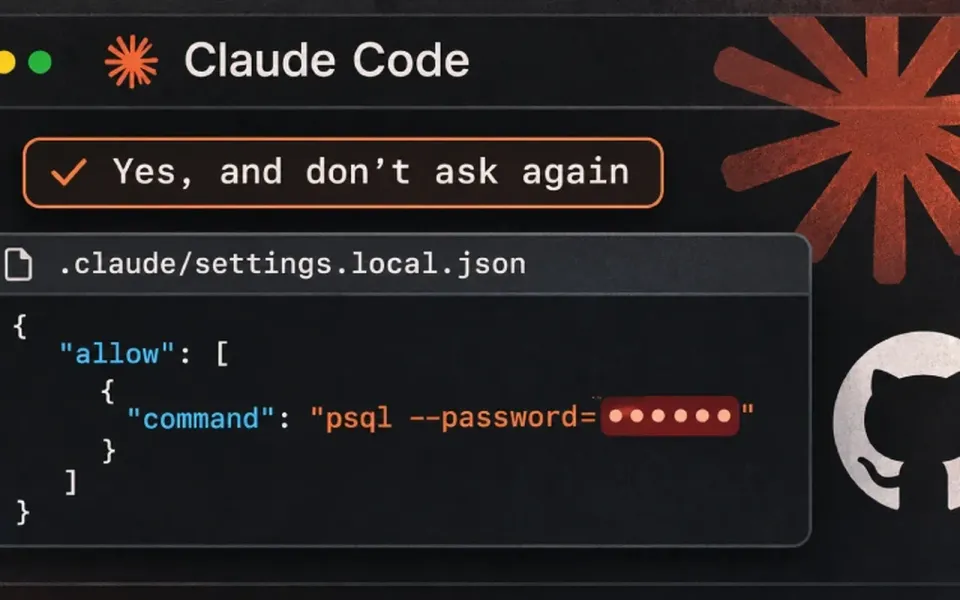
Quick answer: if you've ever clicked "Yes, and don't ask again" in Claude Code, open .claude/settings.local.json in each project and look for passwords or tokens. Rotate anything you find, check git history with git log --all, stop tracking the file, and only scrub history if the repo was public.
If you use Claude Code and you've ever clicked "Yes, and don't ask again" on a command that had a password in it, that password may be sitting in plain text inside your project folder. For a lot of people, it's also on public GitHub.
What happened
Security firm Apiiro published research on November 5, 2026 looking at a single file: .claude/settings.local.json. That's where Claude Code stores the allow rules you create when you approve a shell command and tell it to stop asking. Sometimes the saved rule is a pattern like npm test *. Sometimes it's the exact command you approved, word for word, including any database password, token or API key you typed into it.
Apiiro's researchers counted 104,185 copies of that file across 103,617 public GitHub repositories. About 1.1% of them, or 1,122 files, held at least one secret, adding up to 1,379 distinct credentials. When they also counted older versions in git history, the shared .claude/settings.json file and saved agent transcripts, the total came to 2,539 secrets in 1,994 repositories. The breakdown reported by The Hacker News includes 379 database passwords, 43 SSH logins for public servers, 42 GitHub, GitLab and npm tokens, and 23 AWS keys.
A few caveats matter here. Apiiro didn't try the credentials, so nobody knows how many still work, though one company it notified confirmed its key had been live. iTWire rightly frames this as an exposure risk rather than a confirmed breach. The researchers also say Claude Code was the only one of 16 coding agents they compared that writes the full approved command to a project file by default.
Why it matters
Claude Code does try to keep this file out of git. The first time it creates it inside a repository, it adds it to your global git excludes on that machine. The problem is that this setting lives on one computer. It doesn't cover a file that was already committed, a folder that only became a repo later, or a fresh clone somewhere else, and it never goes into the project's own .gitignore. In 539 of the 1,105 repositories Apiiro traced, a commit co-authored by Claude touched the file.
Deleting the file doesn't fix anything either. The old version stays in history and in forks, and Apiiro found 211 forks carrying the same secrets as their parents. Regular scanners don't catch all of it: gitleaks flagged 564 of the 1,122 files and TruffleHog 643, while 215 slipped past both, mostly passwords typed after things like PGPASSWORD= or mysql -p.
My take: what to do this weekend
The "don't ask again" button is the one most of us click when we're tired, and that's exactly the habit this research catches. If you've used Claude Code at all, here's the order I'd go in.
- Open the file locally first. In every project, check
.claude/settings.local.jsonand.claude/settings.json. Search forpassword,token,-p,sshpassand anything that looks like a key. - Rotate before you clean. If a real secret is in there and the repo was ever pushed anywhere, treat it as leaked. Change the database password or revoke the token first, then tidy up.
- Check history, not just the current branch. Running
git log --all -- .claude/settings.local.jsonshows whether the file was ever committed. - Stop tracking it. Run
git rm --cached .claude/settings.local.jsonand add.claude/settings.local.jsonto the repo's own.gitignoreso the protection travels with the project. - Keep secrets out of commands. Use environment variables such as
$DATABASE_URLfrom a secrets manager or an untracked.env, and approve patterns likeBash(npm run:*)instead of one-off commands.
If your team runs secret scanning in CI, add agent folders like .claude/, .cursor/ and .gemini/ to it, and make sure it checks git history too. The same file can also end up inside an npm package or a Docker image.
This lines up with a pattern I keep writing about. Recent breaches at Railway and Northflank came down to the same lesson: secrets end up in places you forgot about, and rotating them is the only real fix. If you also installed Claude Code through VS Code, it's worth running through my earlier Claude Code extension check while you're at it.
Anthropic hadn't commented publicly as of this writing. Apiiro notes that several GitHub issues raising this behavior, the earliest from August 2025, were closed automatically by a bot without a reply. Until Claude Code warns before saving a rule with a secret in it, the cleanup is on us.
If it was pushed: cleaning it out of history
Rotating the secret is the part that actually protects you. GitHub's own guide to removing sensitive data says the same thing: once a password or token is revoked, rewriting history may not even be worth the trouble. If you still want the file gone from a public repo, this is the route GitHub documents.
- Install
git-filter-repo2.47 or newer. That's the first version with the--sensitive-data-removalflag. - In a fresh clone, run
git-filter-repo --sensitive-data-removal --invert-paths --path .claude/settings.local.json. - Check the history is clean, then push everything with
git push --force --mirror origin. You may have to switch off branch protection for a moment. - Ask GitHub Support to clear cached views and pull-request references. Forks keep their own copy, and GitHub can't clean those for you.
Expect side effects. Every commit hash after the leak changes, collaborators need to re-clone, and old pull-request diffs stop rendering. For a personal side project I'd rotate, untrack and move on. For a team repo, plan the rewrite properly, then turn on GitHub's push protection so a token pasted into a commit gets caught at push time.
Related guides: next stop is my guide to checking your PC after the NIKKE launcher malware. After that, see checking and patching the APT flaw CVE-2026-109518 and checking BTCPay Server after the hot-wallet attack if either matches what you're seeing. For a case where an AI agent itself caused the breach, see the WorkOS sandbox escape.



Comments ()