Apple Music Selfie Sing Karaoke Hits iOS Beta
Selfie Sing in iOS 27.3 beta: film yourself singing with lyrics, mic effects, then share. Playlist-only for now; iPhone only.
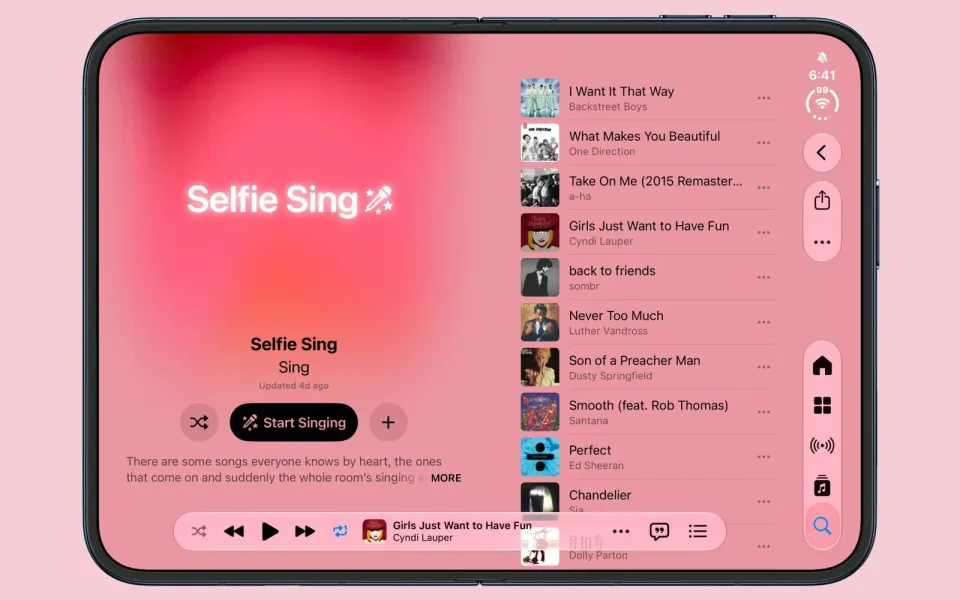
Apple Music is testing a karaoke mode that films you while you sing. Selfie Sing is in the iOS 27.3 beta: lyrics on screen, a short stack of mic effects, then save or share the clip.
What happened
MacRumors found the feature while checking 27.3. Apple's playlist copy lays out the loop: pick a track from the Selfie Sing playlist, shoot a selfie with scrolling lyrics, tweak your vocals, and send the video wherever you want. Effects named so far are Megaphone, Echo, Concert Hall and Studio, plus a post-take louder/quieter dial. Aaron (@aaronp613) posted the first demo on X (Animoji stand-in included); The Verge and Engadget followed the same day.
In practice you open a supported song, tap the camera icon, hit record, and sing while the words scroll. When the track ends you pick an effect and dump the file to Photos or a share sheet. The playlist already stacks shout-alongs: Aretha Franklin's "Respect," Cyndi Lauper's "Girls Just Wanna Have Fun," Madonna's "Like a Virgin," Oasis's "Wonderwall," Duran Duran's "Hungry Like the Wolf," Britney Spears's "…Baby One More Time."
Two beta catches. The playlist itself can appear on iOS 27.2, but the front-camera control only lights up on the iOS 27.3 beta. And Selfie Sing is not wired to the whole catalog — stay on the playlist or the camera button may never show. Think of it as Apple Music Sing (lyric karaoke from iOS 16.2) with a selfie lens bolted on.
Why it matters
Apple keeps pushing Music past "press play and pocket the phone." Sing already nudged Spotify's karaoke experiments; Selfie Sing is the cut aimed at Stories and group chats. Whether that is fun or regrettable depends on who you share with, but the product intent is clear: Music moments that leave the device. If you hopped between Apple apps after Music 7's Android redesign, this is another week the Music team has not sat still.
What to do
- Public iOS: wait for the finished 27.3 (or whichever release ships Selfie Sing) before hunting for the camera button.
- On the 27.3 beta: update Apple Music, search Selfie Sing, open a track, tap the camera, record, then try the mic effects before you share.
- No camera icon? That song is probably not enabled — use the playlist.
- Android Apple Music: no Selfie Sing. iPhone-only for now.



Comments ()