Denmark Ends Collabora Trial to Replace MS Office
Denmark's digitalisation ministry dropped its Collabora pilot after file import and formatting problems. Here's what it means for Office switchers.
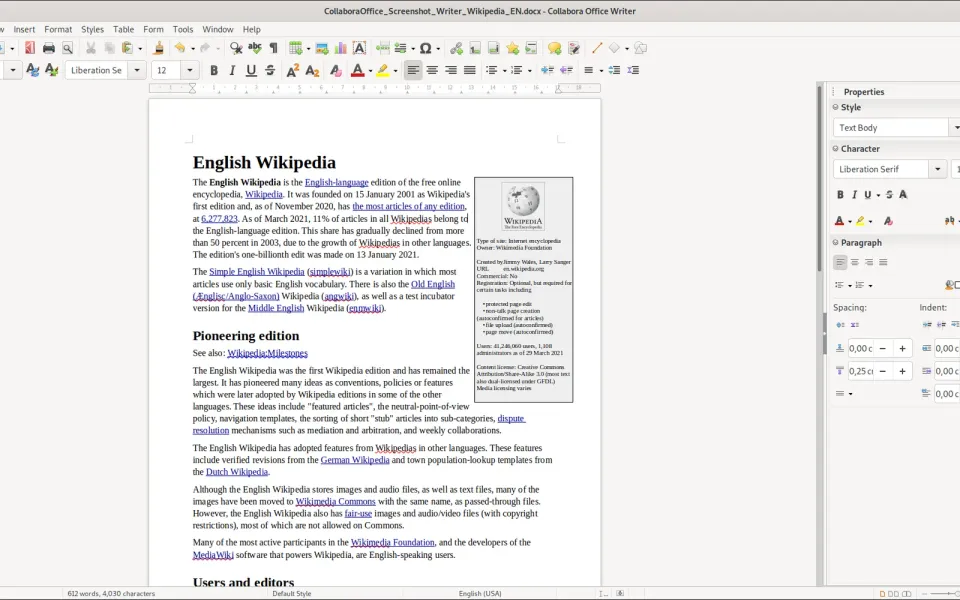
Denmark's Ministry of Digitalisation has quietly ended its trial of Collabora, the open-source office suite it was testing as a Microsoft Office replacement. Danish outlet Computerworld broke the story this week, and XDA picked it up for an English-speaking audience.
What happened
The pilot started on June 19, 2025. Around 38 staff at the ministry's head office had Word, Excel and PowerPoint replaced by Collabora, a LibreOffice-based suite, inside the F2 case-handling system from the Danish company cBrain. The ministry pitched it at the time as a first step toward relying less on big tech companies.
It didn't go smoothly. Computer Sweden lists problems with document formatting, blank pages and track changes during the test. XDA says the biggest headache was opening existing Microsoft files in the OOXML formats (.docx, .xlsx, .pptx), with some documents loading as blank pages. The trial was paused around the election and has now been dropped after a little over six months. ITWatch and Ingeniøren report there was no evaluation, and there's no plan to restart it.
Why it matters
Lots of European public bodies say they want to cut their dependence on Microsoft. This shows how hard that is in practice. The software itself is only half the job. The bigger problem is years of existing documents, templates and add-ins built around Office, plus partners who keep sending you .docx files.
It's also a knock for Collabora at a rough time. Its CODE server was hit by an actively exploited flaw on Nextcloud setups just days ago. That said, one small trial ending without a published evaluation doesn't prove open-source office suites can't work. We don't know how much was the software, the files or the rollout.
What to do
- Test with your real files first. If you're thinking of moving off Office, open your messiest documents and spreadsheets in the new suite before you commit.
- Watch for missing fonts. Many "broken layout" problems come from fonts that aren't installed on the new system.
- Pick one format for new work. Saving new files in ODF (.odt, .ods) keeps things simpler if you switch fully.
- Keep a fallback. Office on the web or a single licence for tricky files can save a migration.


Comments ()