Best Ollama Models for 8GB RAM PCs (No GPU)
The Ollama models that actually fit an 8GB RAM PC without a GPU, with real download sizes, what to avoid, and how to measure speed on your own machine.
Updated October 2026. Model sizes taken from the Ollama library tag pages and commands checked against Ollama's README and FAQ (Ollama v0.40.8) on 22 October 2026.
Short answer: on a PC with 8GB of RAM and no graphics card, stick to models around 4 billion parameters or less. My shortlist is Qwen3 4B (2.5GB) as the all-rounder, Phi-4 Mini (2.5GB) for reasoning and maths, Llama 3.2 3B (2.0GB) when you want the lightest decent chat model, and Gemma 3 4B or Qwen3.5 4B (3.3 to 3.4GB) if you want to feed it images. 7B and 8B models technically load, but with Windows and a browser open you'll be fighting for memory.
I'm not going to give you tokens-per-second tables. Speed depends so much on your exact CPU, RAM speed and what else is running that someone else's numbers are close to useless. I'll show you how to measure your own in one command instead.
Jump to:
- How much of 8GB you actually get
- The shortlist
- Models that are too big
- Step 1: Install Ollama
- Step 2: Pull and run
- Step 3: Measure speed
- Step 4: Control memory
- FAQ
How much of 8GB you actually get
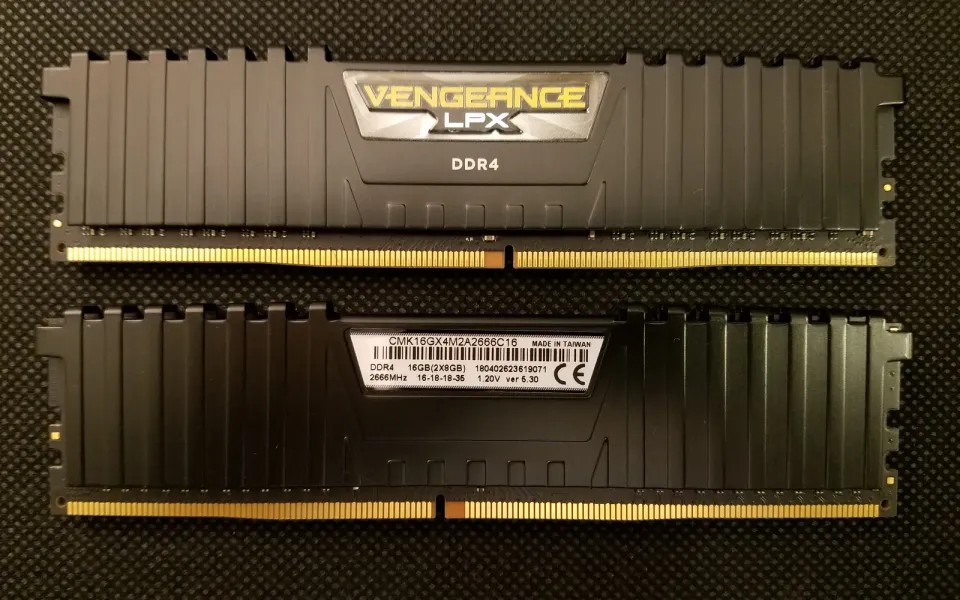
This is the part most "best model" lists skip. 8GB of RAM doesn't mean 8GB for the model. Windows 11 itself, plus a browser with a few tabs, can easily take half of it. On a lightweight Linux install you get more room.
A model also needs more memory than its download size, because Ollama keeps a working buffer for the conversation (the context). Ollama's FAQ says the default context window is 4096 tokens, and the bigger you set it, the more RAM it takes.
My rough rule: if the model file is under about 3.5GB, you're comfortable. Between 4 and 5GB, close everything else first. Above that, don't bother on 8GB.
The best Ollama models for 8GB RAM
Sizes below are the default download sizes listed on each model's Ollama tags page. They're 4-bit quantised builds, which is the normal trade-off of a little quality for a lot less memory.
| Model | Ollama tag | Download size | Good for |
|---|---|---|---|
| Qwen3 4B | qwen3:4b | 2.5GB | General use, writing, code; has a thinking mode |
| Phi-4 Mini (3.8B) | phi4-mini | 2.5GB | Reasoning, maths, structured answers |
| Llama 3.2 3B | llama3.2:3b | 2.0GB | Light everyday chat and summaries |
| Gemma 3 4B | gemma3:4b | 3.4GB | Text plus image input, many languages |
| Qwen3.5 4B | qwen3.5:4b | 3.3GB | Newer Qwen with vision, tools and thinking |
| Qwen3 1.7B | qwen3:1.7b | 1.4GB | Very old or busy PCs; quick, simple tasks |
If you only try one, make it Qwen3 4B. It's small, it handles a mix of tasks reasonably, and you can switch its thinking on or off. Thinking makes answers better on tricky questions but slower, and on a CPU that slowdown is very noticeable.
Phi-4 Mini is the one I'd pick for homework-style maths or step-by-step logic. Llama 3.2 3B is the safe fallback when memory is tight; it's the smallest model here that still feels like a proper assistant.
For images, both Gemma 3 4B and Qwen3.5 4B accept them. They're the biggest on the list, so close your browser before you drop a screenshot in.
Models that are too big for 8GB
- The "latest" tags. Running
ollama run qwen3without a size gets you the 8B version (5.2GB), andqwen3.5gets you 9B (6.6GB). Always type the size. - 7B and 8B models like
llama3.1:8b(4.9GB),deepseek-r1:8b(5.2GB) andqwen3:8b(5.2GB). They'll load on a quiet Linux machine, but on Windows with apps open, expect heavy swapping to disk and long pauses. - Gemma 4. Even the small ones are large in Ollama:
gemma4:e2bis 4.6GB and the defaultgemma4:e4bis 6.6GB. E2B is borderline; E4B isn't worth it on 8GB. - Anything 12B and up. Not happening on 8GB without a GPU.
Step 1: Install Ollama
On Windows, download OllamaSetup.exe from ollama.com/download and run it. On Linux, the official one-liner is:
curl -fsSL https://ollama.com/install.sh | shMac users can use the download page too. Once it's installed, open a terminal (PowerShell on Windows) and run ollama --version to check it worked.
Step 2: Pull and run a model
ollama pull qwen3:4b
ollama run qwen3:4b
The first command downloads the model; the second opens a chat right in the terminal. Type /bye to leave. For Qwen3, you can turn thinking off for faster replies:
ollama run qwen3:4b --think=falseIf you'd rather not live in a terminal, Ollama also runs a local API on port 11434 that chat apps can connect to.
Step 3: Measure your own speed
Add --verbose and Ollama prints timing stats after every answer:
ollama run phi4-mini --verboseLook at the eval rate line, in tokens per second. Ask the same question to two or three models from the table and compare. Roughly, anything that writes faster than you read feels fine for chat, and anything that crawls a few words at a time will get annoying quickly. Your result is the only benchmark that matters for your PC.
Step 4: Keep memory use under control
- See what's loaded:
ollama psshows models in memory and how much they're using. - Unload a model:
ollama stop qwen3:4bfrees the RAM right away. Otherwise Ollama keeps it loaded for a few minutes after your last message. - Don't raise the context window on 8GB unless you need to paste long documents. A bigger
OLLAMA_CONTEXT_LENGTHmeans more RAM. - Close the browser before trying a 3GB+ model. It sounds obvious, but it's usually the biggest memory user on the PC.
- Delete what you don't use:
ollama rm <model>. Models add up fast on a small SSD.
Where to go from here
If you're also setting up a home server, a small model like Llama 3.2 3B is a fun thing to run on a spare machine. My Raspberry Pi home server guide and Tailscale vs WireGuard post cover reaching it safely from your phone.
Prefer clicking to typing commands? LM Studio runs the same kind of models with a full desktop app, and my guide on how to run DeepSeek or Llama locally on Windows with LM Studio walks through it, including which DeepSeek R1 size fits your RAM.
Tried a small model that surprised you on a low-RAM PC? Tell me in the comments and I'll check it out for the next update.
FAQ
Can Ollama run without a GPU?
Yes. Ollama runs on the CPU when there's no supported graphics card. It's slower than a GPU, which is why small 3B to 4B models are the sweet spot on CPU-only PCs.
Can I run a 7B model on 8GB RAM?
It can load, since most 7B and 8B downloads are about 4.7 to 5.2GB. But with Windows and other apps using memory, it usually ends up swapping to disk and becomes very slow. A good 4B model is the better experience.
What is the smallest useful Ollama model?
For simple tasks, Qwen3 1.7B (1.4GB) is a good minimum. Below that, models like the 0.6B and 1B versions work for very basic jobs but make mistakes much more often.
Is Ollama free?
Running models on your own machine costs nothing. Ollama does sell cloud plans now, but you don't need one for anything here. Licences differ from model to model, so glance at the model's page if you plan to use it for work.
Does running AI locally send my data anywhere?
Not with a downloaded model; the whole conversation stays on your PC. The catch is the apps you bolt on top. Some chat front-ends have their own cloud sync, so check theirs.



Comments ()