Apple Patches Exploited Bug on iPhone XR and XS
iOS 18.7.11 brings Apple's fix for an exploited CoreGraphics flaw to the iPhone XR, XS and 7th-gen iPad. Here is why you should update now.
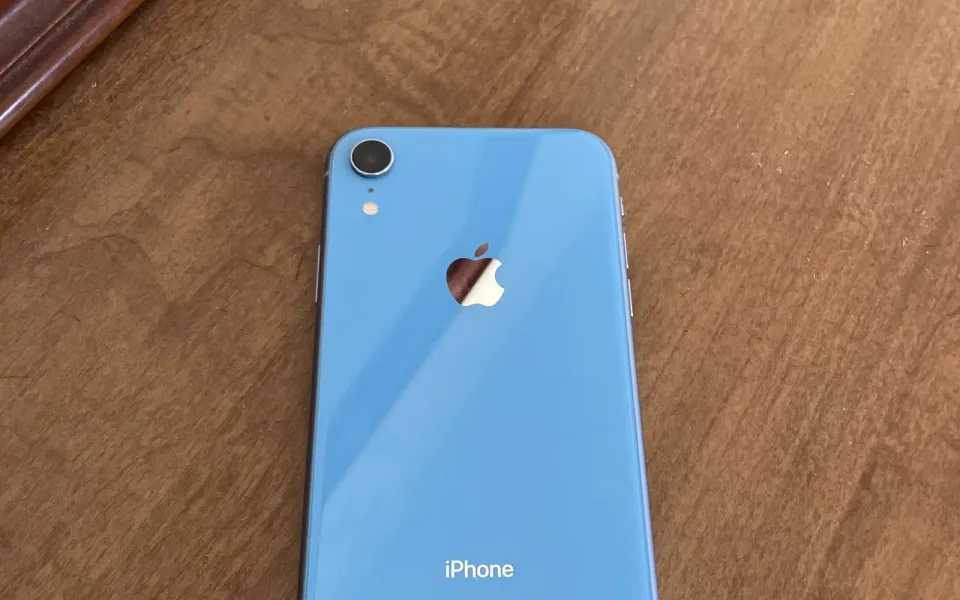
If there's an iPhone XR or XS sitting in a drawer at your place, or still in daily use by a parent, it got an update on Monday that's worth installing today. Apple pushed iOS 18.7.11 to the older phones that can't move to newer iOS versions, and it closes a CoreGraphics bug that Apple says may already have been used against real people.
What happened
Alongside the big iOS 27.2 release, Apple shipped a batch of updates for older software. According to Apple's security notes for iOS 18.7.11 and iPadOS 18.7.11, released October 26, the update covers the iPhone XS, iPhone XS Max, iPhone XR and the 7th-generation iPad, the devices stuck on iOS 18.
The headline fix is CVE-2026-86950, an out-of-bounds write in CoreGraphics, the framework iOS uses to draw text, shapes and images. Apple's description is short: processing a maliciously crafted file may lead to arbitrary code execution, and Apple "is aware of a report that this issue may have been exploited in an extremely sophisticated attack against specific targeted individuals on versions of iOS before iOS 27."
This isn't a brand-new bug. Apple patched it back in late September in iOS 26.7.1, iPadOS 26.7.1, macOS Tahoe 26.7.1 and macOS Sequoia 15.8.1, and the NVD entry shows CISA added it to its Known Exploited Vulnerabilities list on September 29. What changed this week is that the oldest supported iPhones finally got the same fix. BleepingComputer (which flagged it on X) reports that Meta's product security team found the flaw, and MacRumors notes the same day brought iOS 26.7.2, macOS Tahoe 26.7.2, macOS Sequoia 15.8.2 and tvOS 26.6.1 too.
Why it matters
Bugs in image and file handling are the kind attackers love, because the trigger can be something as ordinary as opening an attachment. Apple says the attacks it knows about were narrow and aimed at specific people, so most of us weren't the target. Still, once a fix is public, the gap between patched and unpatched phones is easier for others to study.
The other reason this one stands out: older iPhones tend to end up with family members who never touch Settings. An XR handed down to a parent in 2023 might be the device that never sees this update unless someone nudges it. SecurityWeek also points out that iOS 27 itself doesn't appear to be affected, which lines up with Apple's wording.
What to do
- On an iPhone XS, XS Max or XR, open Settings, then General, then Software Update, and install iOS 18.7.11.
- On a 7th-gen iPad, install iPadOS 18.7.11 the same way.
- If you're on iOS 26, make sure you're at 26.7.1 or later. On iOS 27, the newest build is 27.2, and I covered what's in iOS 27.2 separately.
- Macs on Sequoia or Tahoe should get the latest point release from System Settings, then General, then Software Update.
It takes about ten minutes and you only need Wi-Fi and some battery. If you look after anyone else's older iPhone, this is a good week to check it for them.

Comments ()